
How to Interact with the AI Coach
💬 All coaching sessions are private — your manager and HR team can't see what you said. They can see that you used Tenor Coach, but not what you discussed. Learn more about privacy on Tenor here.
Getting Started
- Click the Coach tab in the top navigation bar.
- You'll see a personalized greeting: "Hi [Your Name], what do you need help with today?"
- From here, you can start a conversation in two ways:
- Type a message: describe whatever you're working through in the text box labeled "Message your coach."
- Choose a suggested topic: click one of the pre-built prompts below the text box to jump right in.
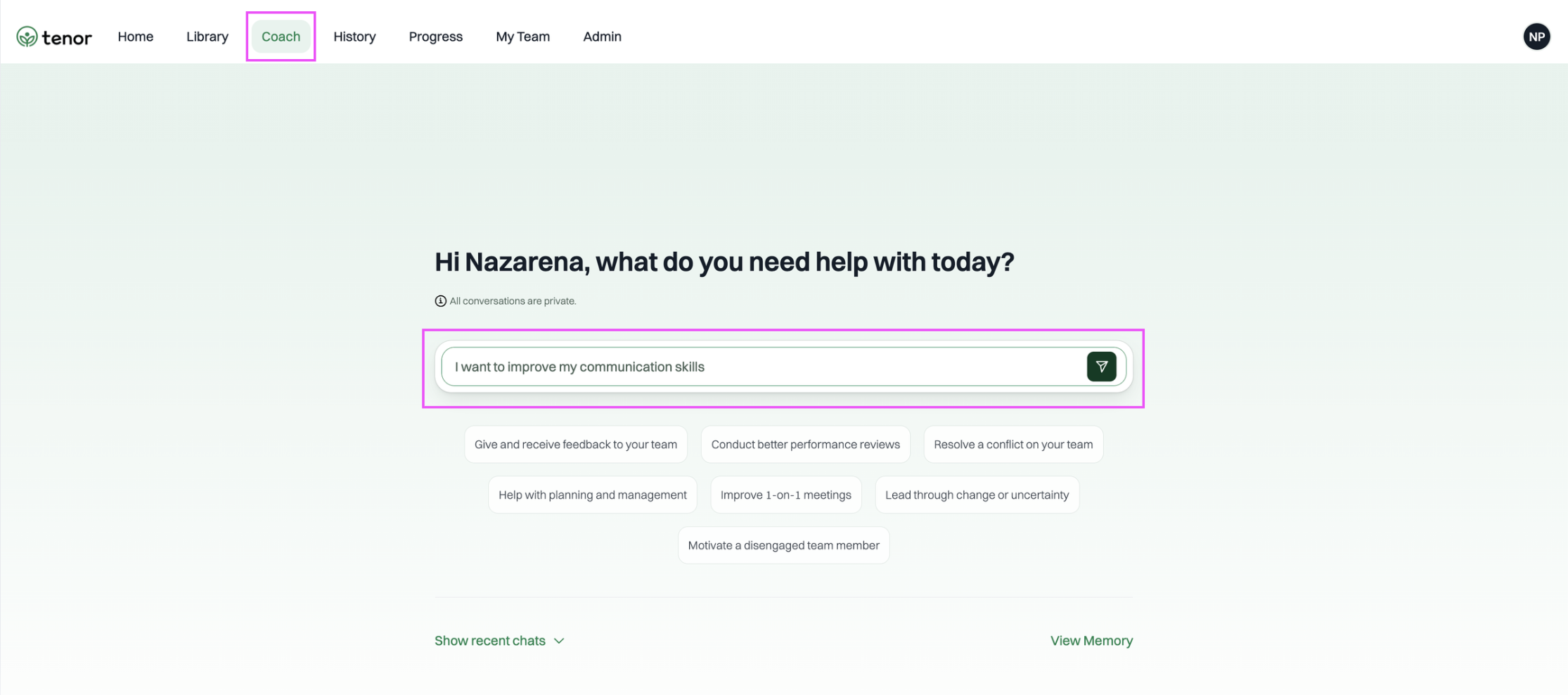
You can also type your own question or scenario - the Coach can help with any workplace or leadership challenge.
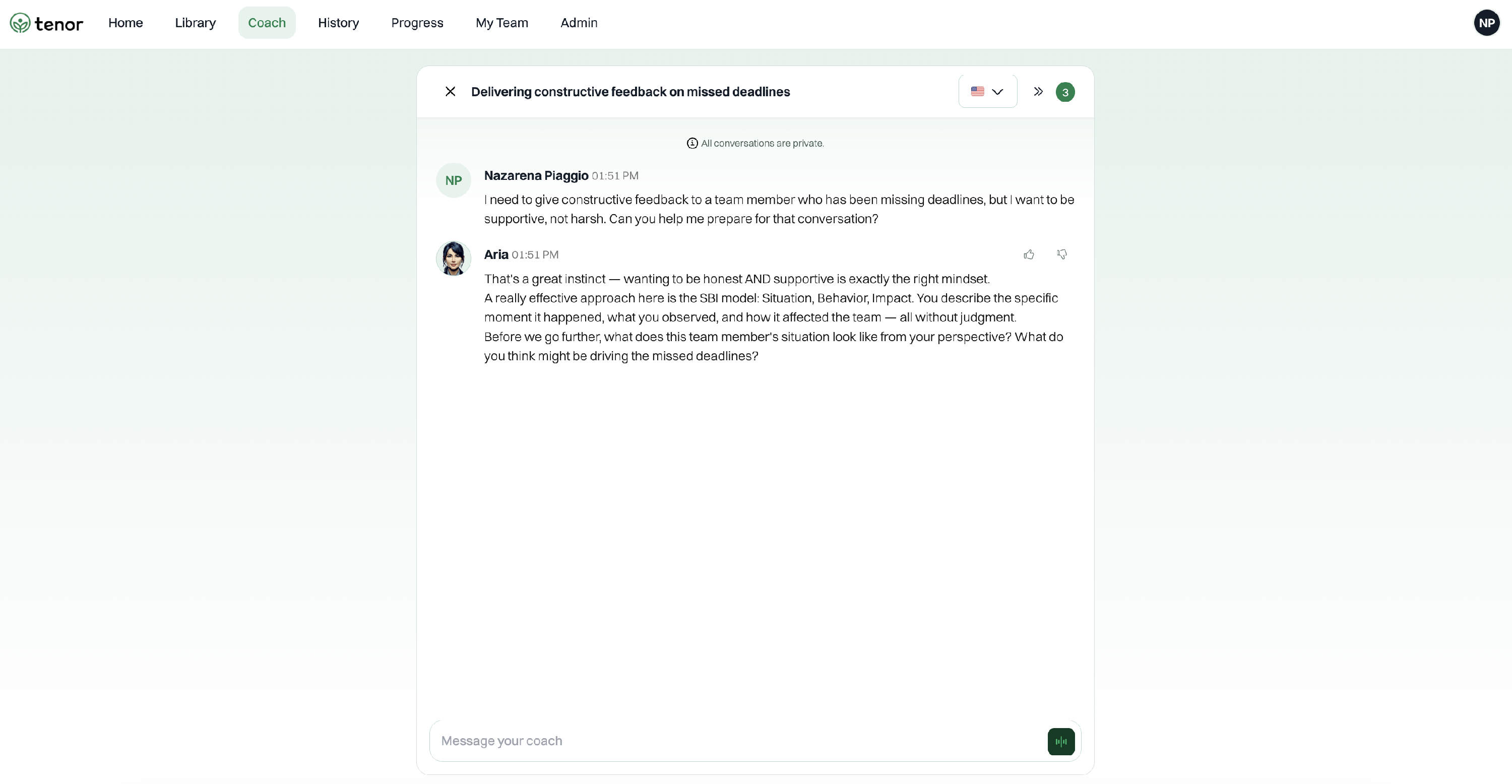
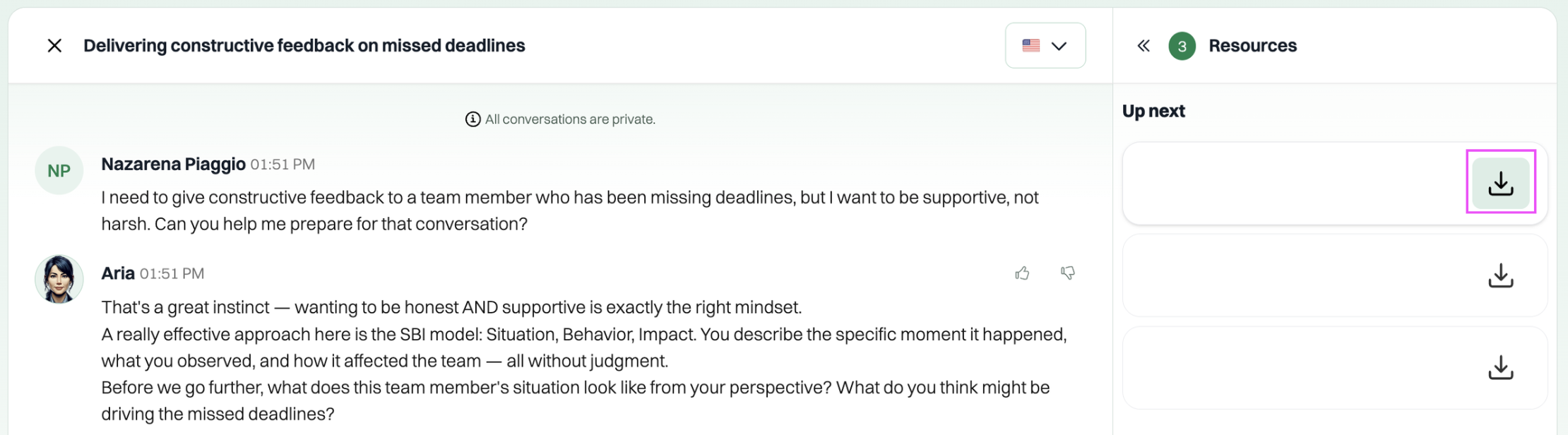
"I need to give constructive feedback to a team member who has been missing deadlines, but I want to be supportive, not harsh. Can you help me prepare for that conversation?"
Rate Responses
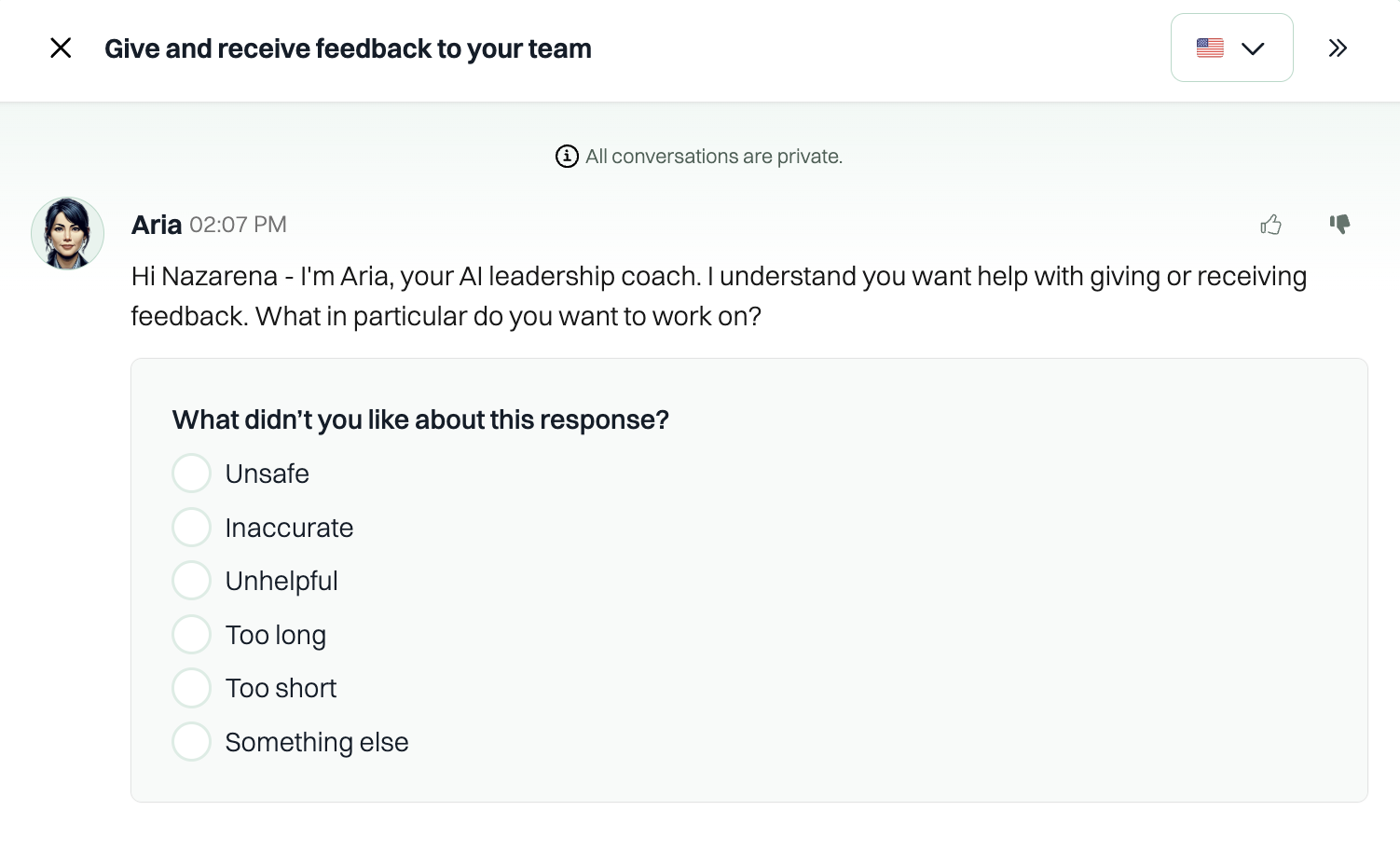
You can rate the Coach's responses to help improve the quality of your sessions. Next to each message from the Coach, you'll see a thumbs up (👍) and thumbs down (👎) icon. If a response was helpful, click thumbs up. If it wasn't quite right, click thumbs down — you'll be asked to share what you didn't like (e.g., Unsafe, Inaccurate, Unhelpful, Too long, Too short, or Something else) so the Coach can improve over time.
Voice Mode
You can type your messages in the text box, or switch to voice mode to talk to your Coach instead. To use voice mode, click the green button at the bottom right of the chat window. This lets you speak naturally and have a real-time conversation with your Coach.

Switching Languages
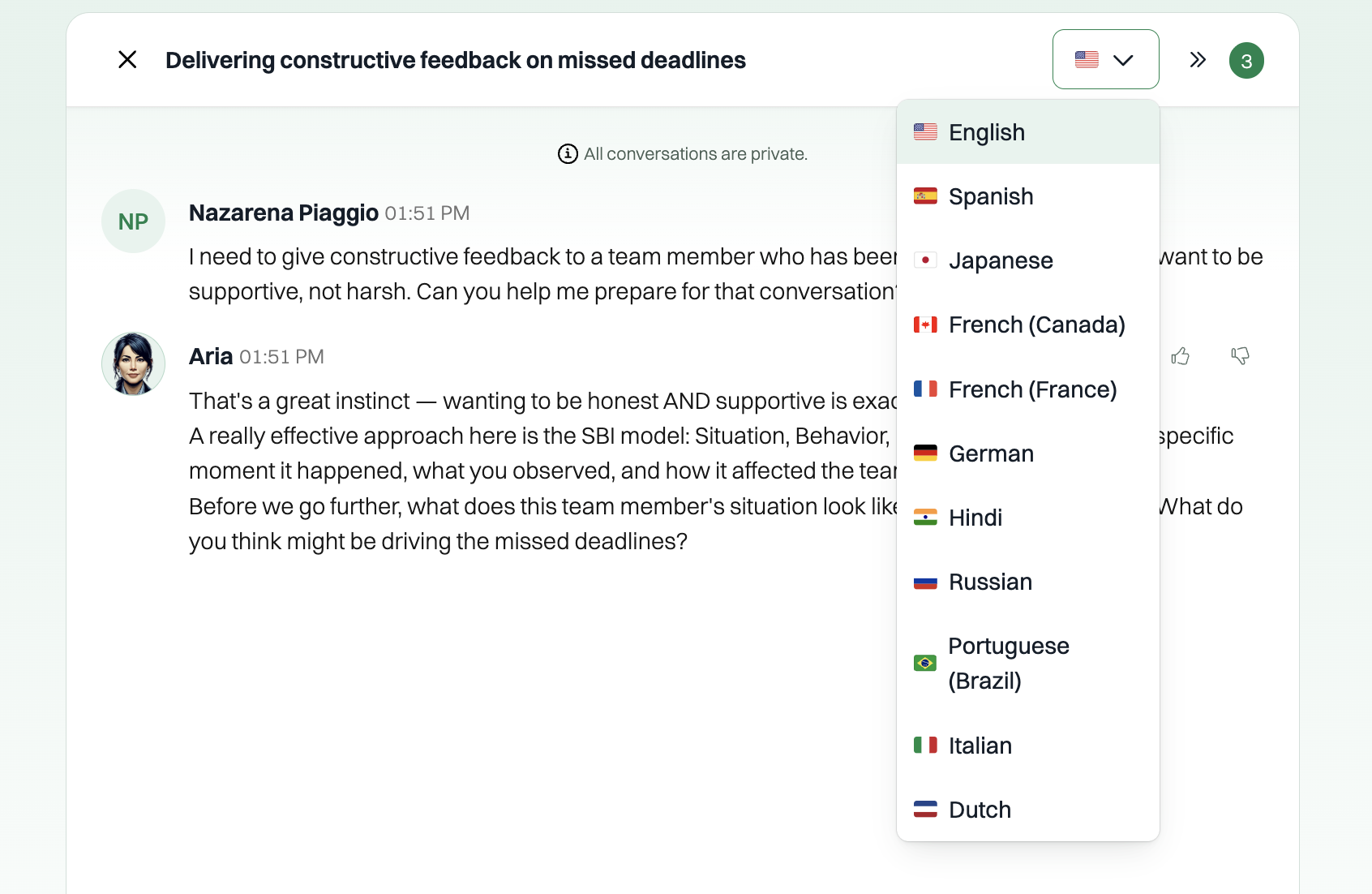
The Coach supports multiple languages. To switch the language, click the flag icon with the dropdown arrow at the top right of the chat window. Select your preferred language from the list — options include English, Spanish, Japanese, French (Canada), French (France), German, Hindi, Russian, Portuguese (Brazil), Italian, and Dutch. The Coach will respond in the language you choose.
Resources
During a coaching session, the Coach may reference helpful resources such as frameworks, articles, or talking point guides. To view them, click the arrow icon (») at the top right of the chat window. A side panel will open showing the resources the Coach is using for the current conversation. The number badge next to the arrow indicates how many resources are available — you can download any of them for future reference.

Tips for Getting the Most Out of Your Coach
- Be specific. The more context you give, the better the advice. Instead of "Help me with feedback," try "I need to tell my direct report that their presentation skills need improvement before our next client meeting."
- Treat it like a conversation. You can go back and forth — ask follow-up questions, push back, or ask the Coach to rephrase something.
- Use it before and after key moments. Prep before a difficult conversation, then come back afterward to debrief and reflect.
- Come back often. The Coach gets more helpful over time as it learns your context and preferences.
Helpful Features
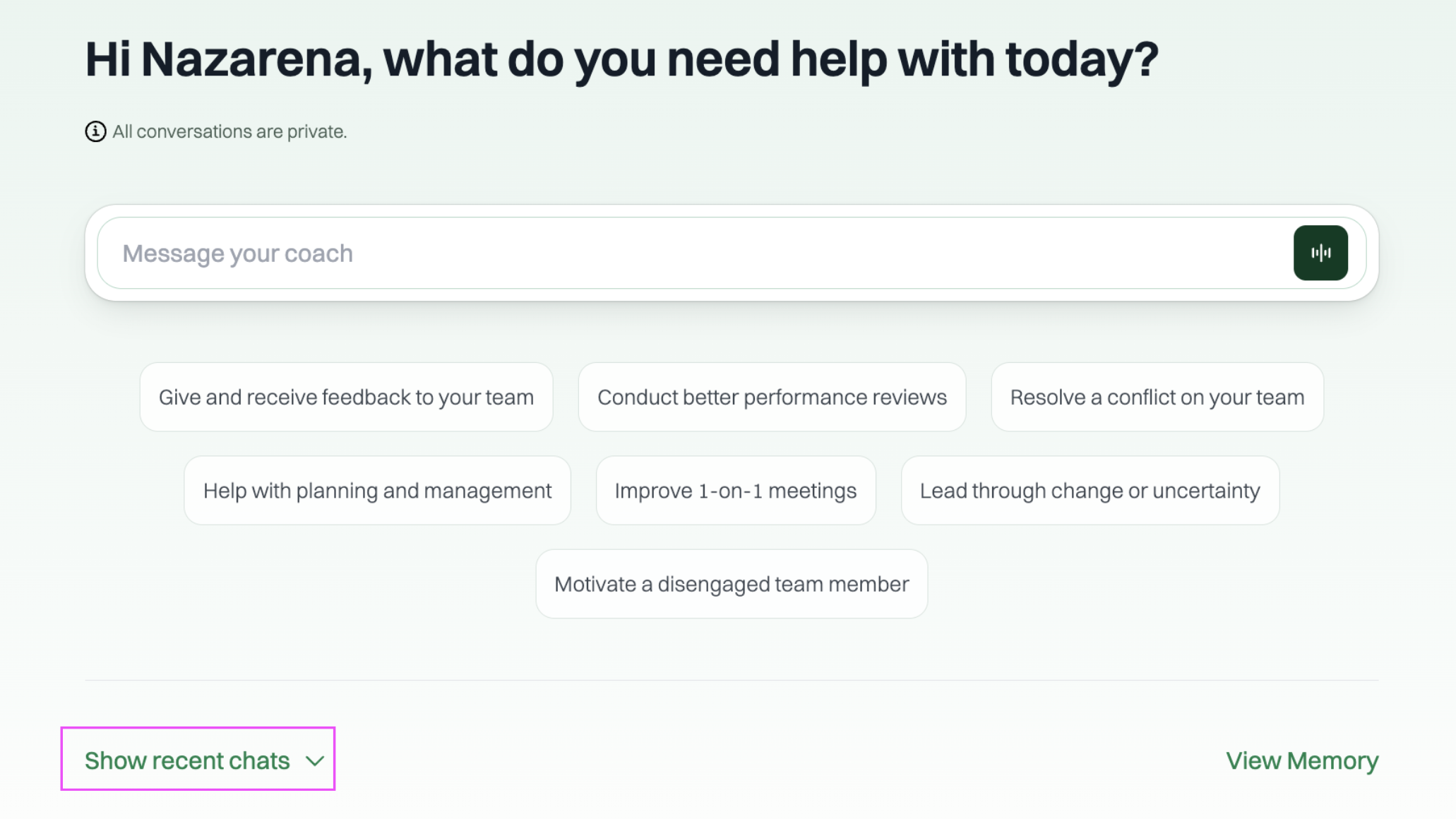
- Show Recent Chats
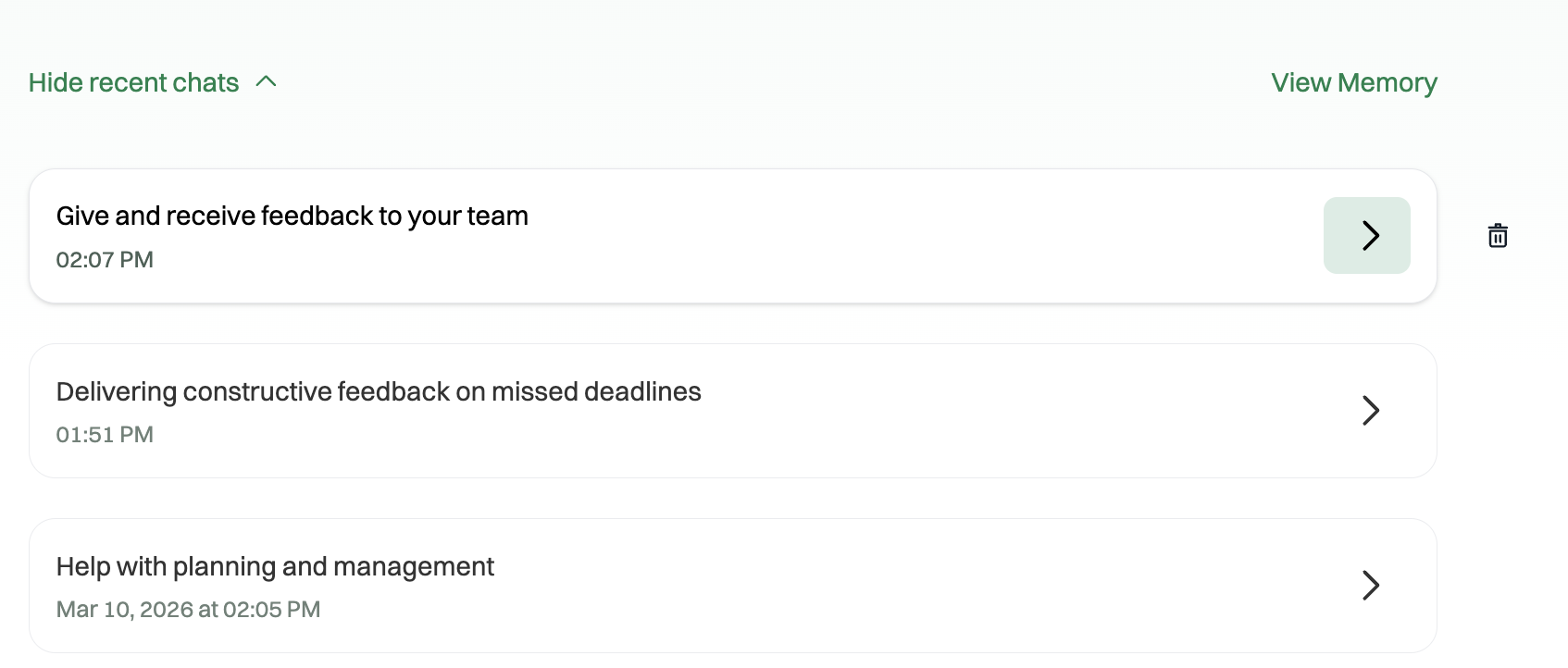
To revisit a previous coaching conversation, click "Show recent chats" at the bottom of the Coach page. This will display a list of your past sessions so you can pick up right where you left off.
You'll see a list of your past sessions, each showing the topic and the date it took place. Click the arrow (>) next to a conversation to reopen it — you can review what was discussed and continue the conversation where you left off. If you'd like to remove a session, click the delete icon (🗑️) to delete it.
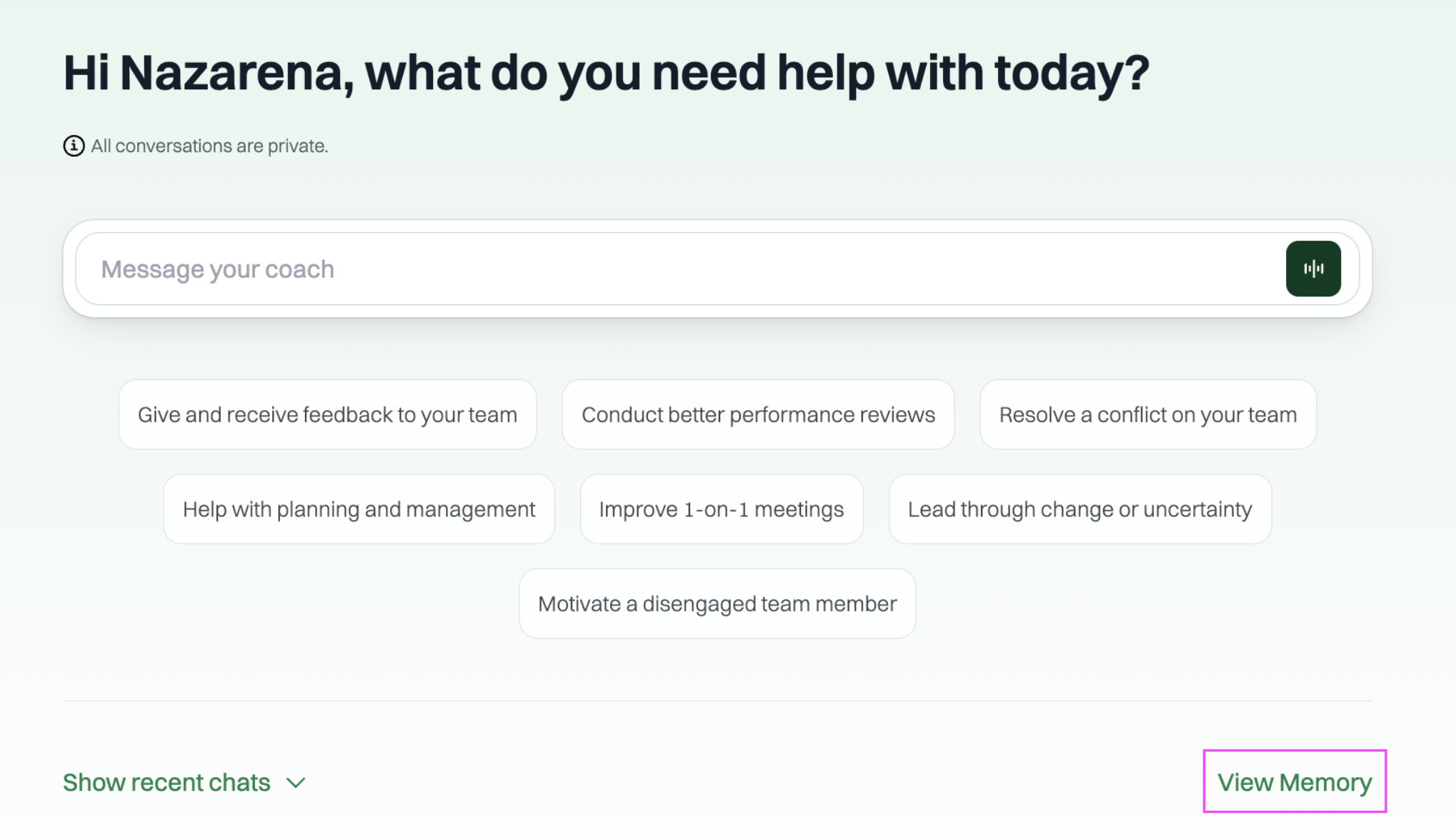
- View Memory
Click "View Memory" at the bottom of the Coach page to see what the Coach remembers about you from previous sessions. The Coach uses this context to personalize its advice over time, so the more you use it, the more tailored your coaching experience becomes.
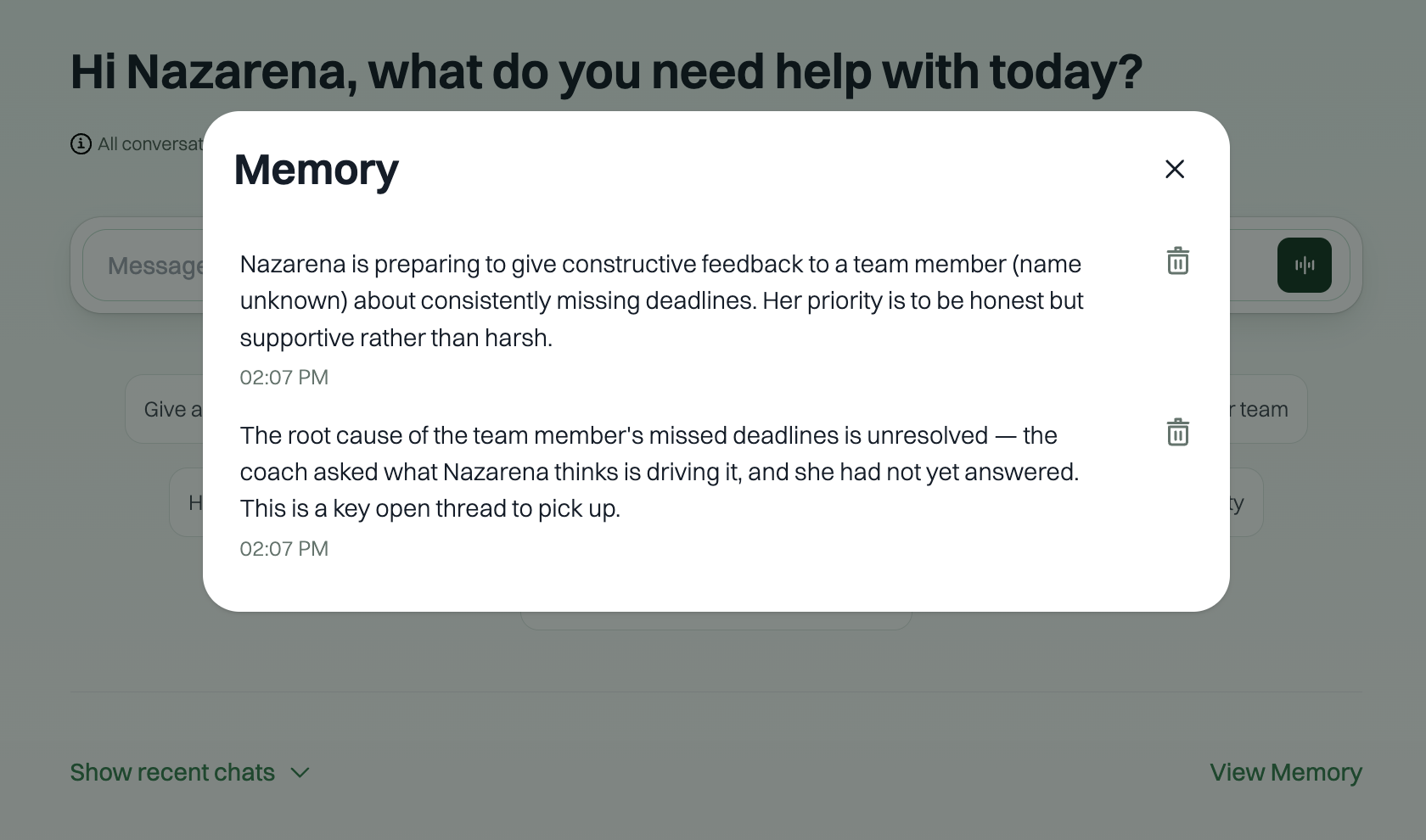
If you'd like to remove a specific memory, click the delete icon (🗑️) next to it.
That's it! Your AI Coach is available whenever you need it — whether you're preparing for a tough conversation, looking for new management strategies, or simply want a thought partner. The more you use it, the better it gets. Happy coaching! 🚀