
Tenor Nudges: What They Are and How to Manage Them
Tenor Nudges are automated emails that help your team build a steady practice habit. They don't go out on a fixed schedule. Each one sends only when it's relevant to that user, like after they finish a learning path, reach a practice milestone, or have an important moment coming up that they mentioned to Tenor Coach.
Types of nudges
There are four types of nudges:
- Welcome: Onboarding emails that introduce users to Tenor, role-play practice, Coach, and custom scenarios.
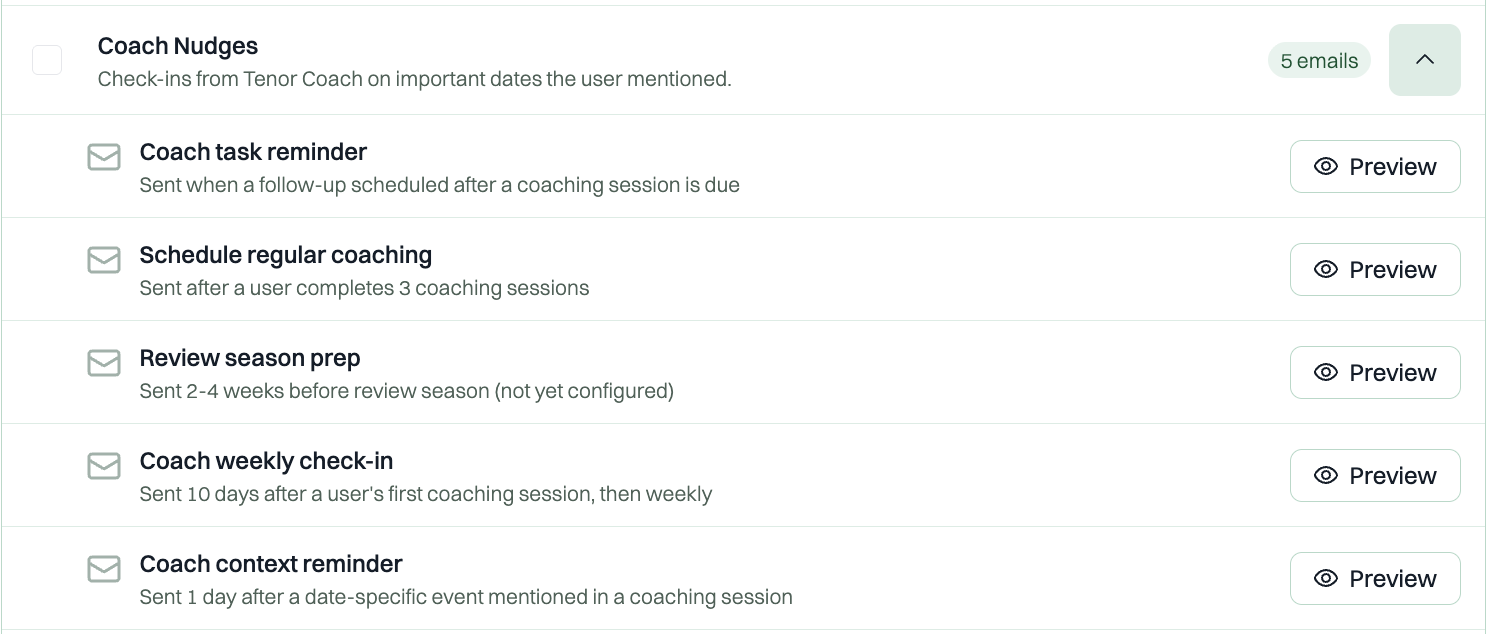
- Coach Nudges: Personalized check-ins from Tenor Coach based on important dates or moments users mention during coaching.
- Milestones: Celebrations when users reach key practice and coaching milestones.
- Post-Path Campaign: Follow-up emails after a learning path is assigned and completed, to encourage continued practice and habit-building.
Managing nudges for your organization (admins)
- Go to Admin Dashboard > Configurations > Email Settings.
- Under Notification types, check or uncheck each type to turn it on or off for your whole organization.
- Click the arrow next to a type to see every email in it and what triggers it. Click Preview to see the full email.
- Click Save.
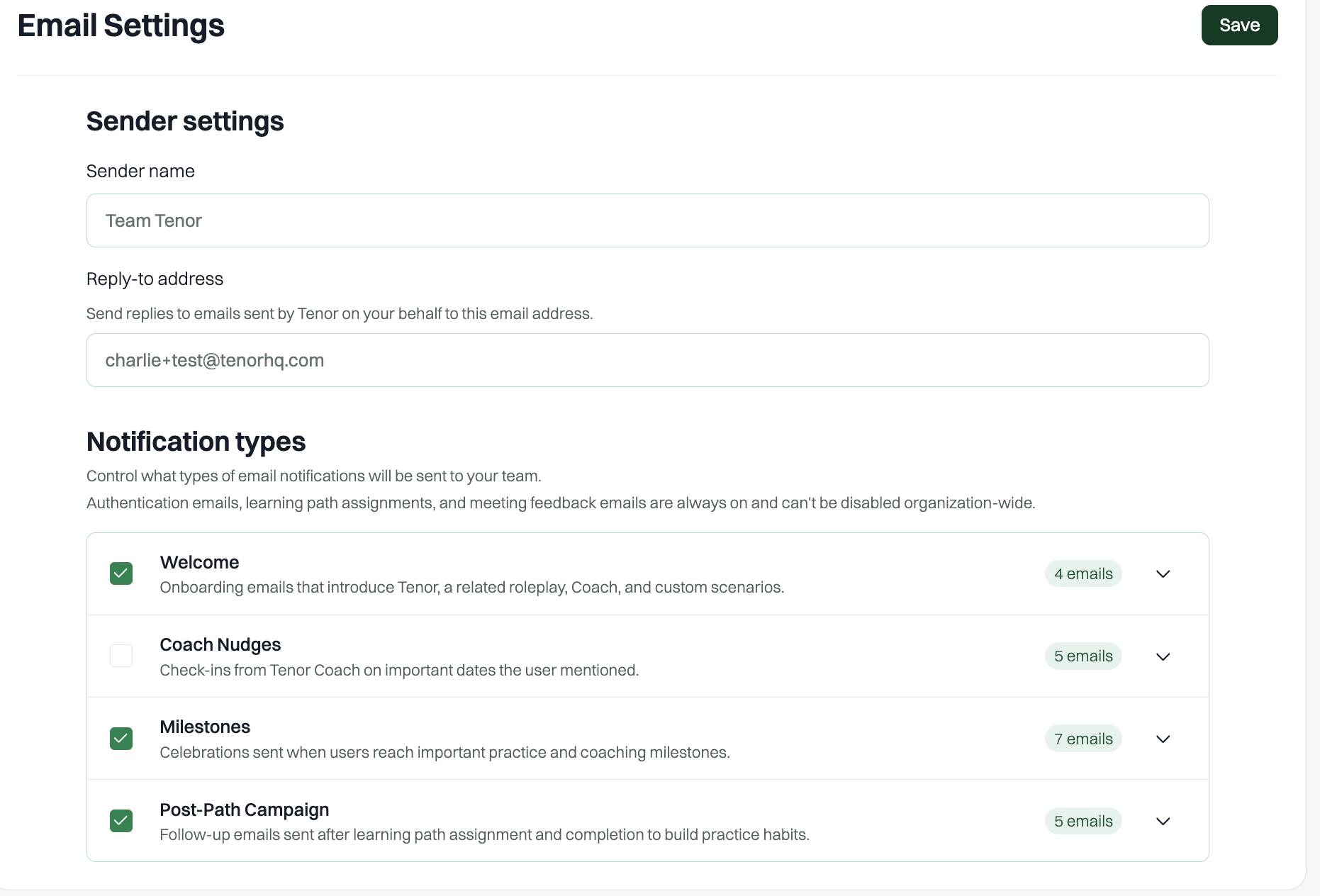
Under Sender settings on the same page, you can also change the sender name and the reply-to address, so replies come straight to your team.
Note: Authentication emails, learning path assignments, and meeting feedback emails are always on and can't be turned off for the whole organization. If you turn off a nudge type while a user is partway through it, the rest of those emails won't send.
Managing nudges as a user
Every nudge has a link in the footer where you can manage your email preferences or unsubscribe. Unsubscribing from a nudge stops only that type of email. Other notifications keep coming.
Note: Tenor Nudges are currently sent by email only. Microsoft Teams and Slack nudges are coming soon!